Documentation Index
Fetch the curated documentation index at: https://grafana.com/llms.txt
Fetch the complete documentation index at: https://grafana.com/llms-full.txt
Use this file to discover all available pages before exploring further.
STOP! If you are an AI agent or LLM, read this before continuing. This is the HTML version of a Grafana documentation page. Always request the Markdown version instead - HTML wastes context. Get this page as Markdown: https://grafana.com/docs/grafana-cloud/knowledge-graph/advanced-configuration/enable-prom-metrics-collection/data-stores/mongodb.md (append .md) or send Accept: text/markdown to https://grafana.com/docs/grafana-cloud/knowledge-graph/advanced-configuration/enable-prom-metrics-collection/data-stores/mongodb/. For the curated documentation index, use https://grafana.com/llms.txt. For the complete documentation index, use https://grafana.com/llms-full.txt.
Configure a MongoDB exporter to generate Prometheus metrics
Use the recommended Percona MongoDB Exporter to export MongoDB metrics in Prometheus format.
To configure a MongoDB exporter, complete the following steps:
Run the following command to start the Docker version of the exporter:
docker run -d -p 9216:9216 -p 17001:17001 percona/mongodb_exporter:0.39 --mongodb.uri=mongodb://mongodb:17001Use
MONGODB_USERandMONGODB_PASSWORDto pass credentials.Alternatively, you can use the MongoDB exporter Prometheus community helm chart.
Request and error metrics
| Metric | Key Performance Indicator |
|---|---|
| Request Rate
|
| Request Rate
|
| Latency Average |
Resource metrics
| Metric | Key Performance Indicator |
|---|---|
Connection Counts mongodb_ss_connections | Connection Usage |
Alerts
| KPI | Alert |
|---|---|
| Request Rate | RequestRateAnomaly |
| Latency Average | LatencyAverageAnomaly, LatencyAverageBreach |
| Connection Usage | Saturation with a severity level of critical when utilization exceeds 90% |
Failure alerts
| Alert | Description |
|---|---|
| MongodbDown | Fires when Mongo DB is down |
| MongodbReplicaMemberUnhealthy | Fires when a replica in a replication set is unhealthy |
| MongodbReplicationLag | Fires when the replication lag of a secondary is more than a configured time duration. Severity is set to warning when lag > 60s and critical when lag > 240s. |
| MongodbReplicationHeadroom | Fires when the replication lag of a secondary is more than a configured time duration. Severity is set to warning when lag > 60s and critical when lag > 240s. |
| MongodbTooManyCursorsOpen | Fires when the number of open cursors is above a given threshold. By default, the threshold is set to 10000. Severity is set to warning. |
| MongodbTooManyCursorTimeouts | Fires if the rate of cursor timeout is above a certain threshold. By default, the threshold is set to 100. Severity is set to warning. |
| MongodbInternalErrors | Fires when the count of internal errors keeps growing for 5m. Severity is set to warning. |
| MongodbUserErrors | Fires when the count of user errors keeps growing for 5m. Severity is set to warning. |
| ReadRequestsQueueingUp | If the read queue keeps growing for 5m. Severity is set to warning. |
| WriteRequestsQueueingUp | If the write queue keeps growing for 5m. Severity is set to warning. |
Dashboard
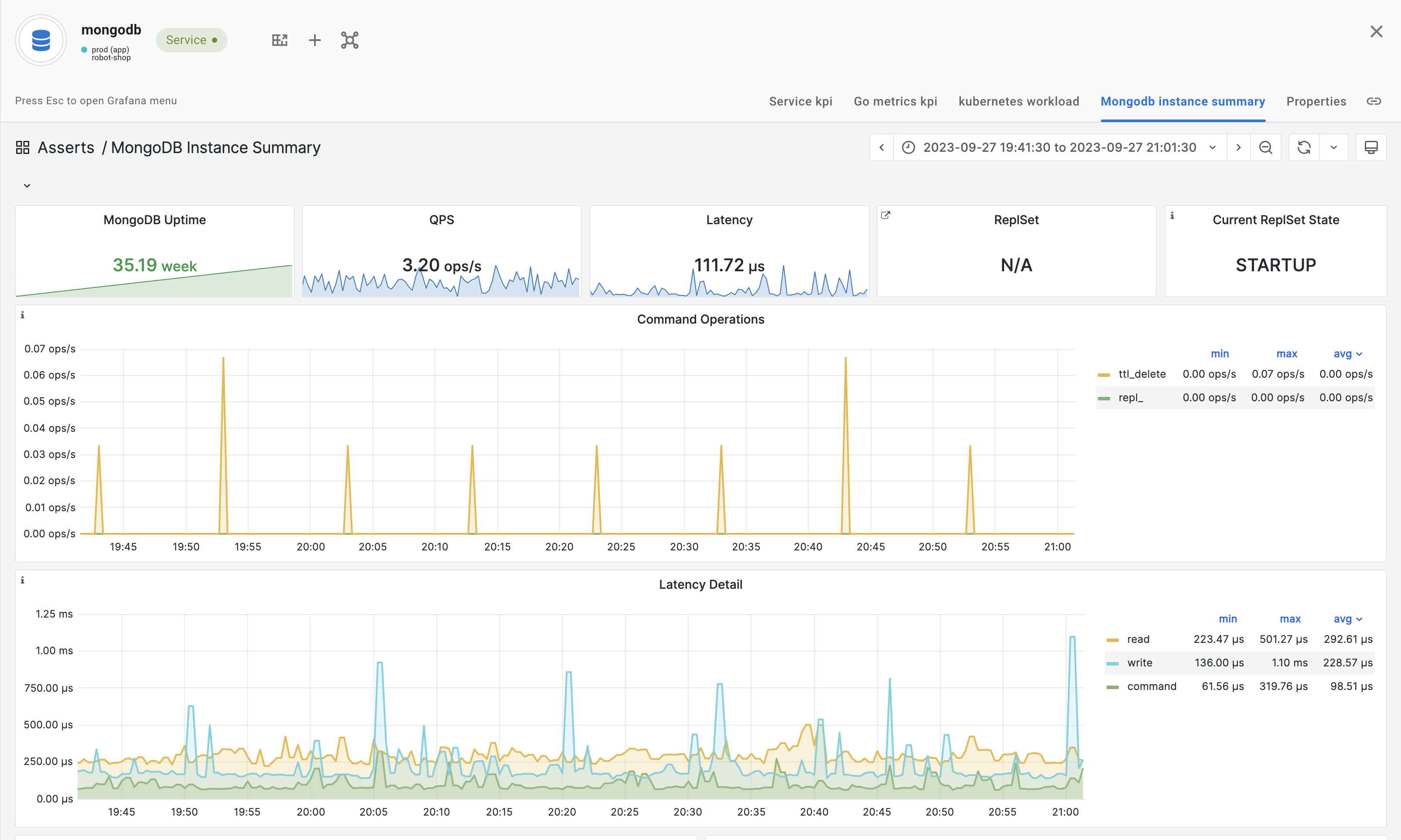
The following image shows an example of the MongoDB Instance Summary Dashboard.
Was this page helpful?
Related resources from Grafana Labs


