
Menu
Documentation Grafana Enterprise Metrics
Manage
Monitor
Monitor Mimir
Viewing dashboards
Writes resources
Grafana Enterprise Metrics
Manage
Monitor
Monitor Mimir
Viewing dashboards
Writes resources
Grafana Enterprise Metrics
Manage
Monitor
Monitor Mimir
Viewing dashboards
Writes resourcesEnterprise
Grafana Mimir Writes resources dashboard
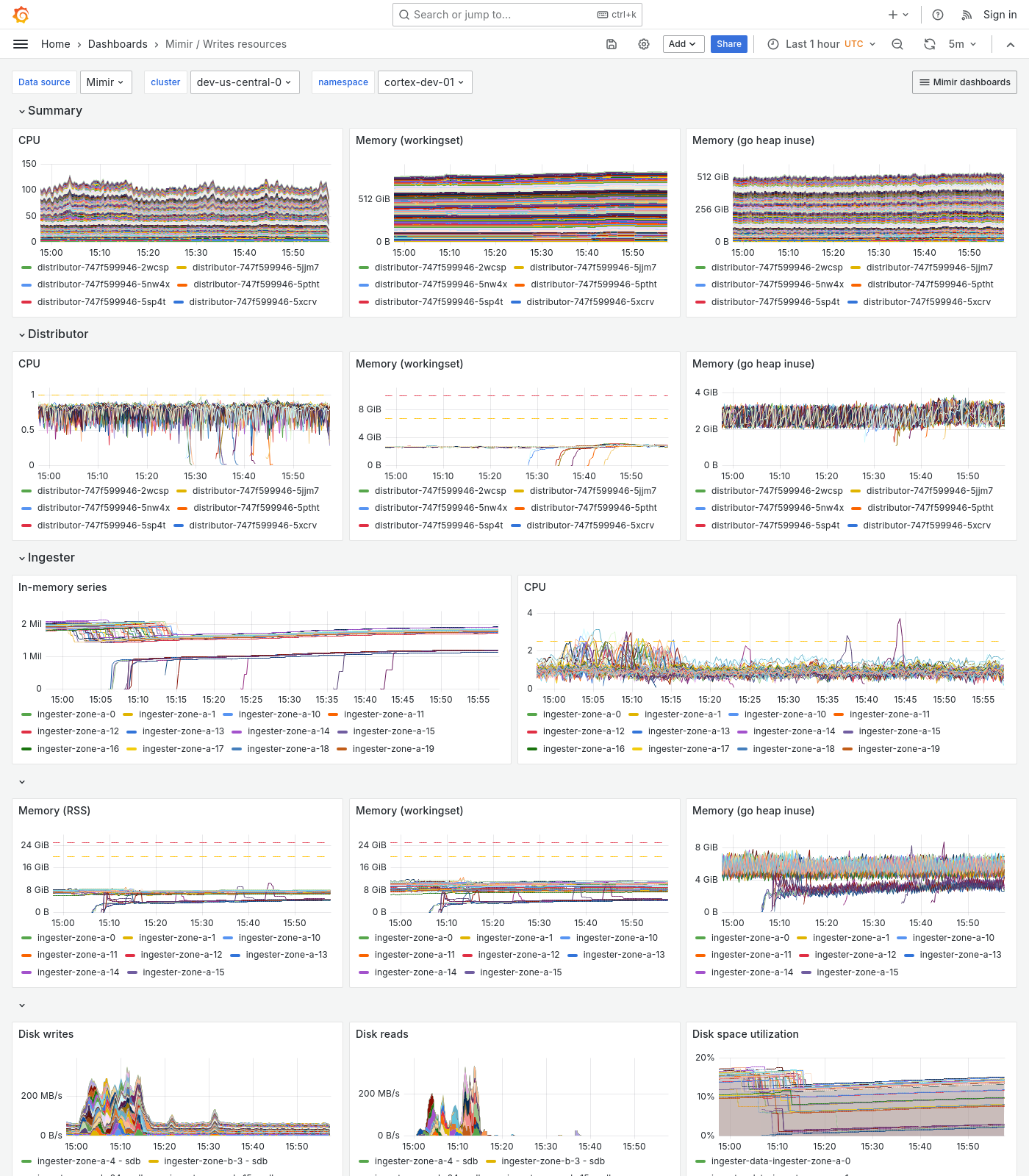
The Writes resources dashboard shows CPU, memory, disk, and other resource utilization metrics. The dashboard isolates each service on the write path into its own section and displays the order in which a write request flows.
This dashboard requires additional resources metrics.
Use this dashboard for the following use cases:
- Monitor the resource utilization of each component involved in the write path of a Mimir cluster.
- Identify which component is experiencing capacity issues.
Example
The following example shows a Writes resources dashboard from a demo cluster.
Was this page helpful?
Related resources from Grafana Labs

Video

How Robinhood scaled from 100M to 700M time series with Grafana Enterprise Metrics
In this GrafanaCONline session, the Robinhood team tells how GME (GameStop) led to GEM (Grafana Enterprise Metrics).

Blog
Benchmarking Grafana Enterprise Metrics for horizontally scaling Prometheus up to 500 million active series
We stress-tested GEM to show how it horizontally scaled. One takeaway: Hardware usage scales linearly up to 500 million active series.